The 2026 .com Price Increase: A Canadian Domain Guide
By WebDesignGuide · Published November 28, 2026 · 22 min read

What changed on November 1, 2026
The wholesale price of every .com domain name went up on November 1, 2026. According to Openprovider's analysis, the registry operator Verisign raised its wholesale .com fee from US$10.26 to US$10.97 per year, an increase of US$0.71 or about 6.9 percent. With the US$0.20 ICANN fee included, the registrar's cost rose from US$10.46 to US$11.17 per year. Operations completed before 04:00 UTC that day were charged the old price.
Retail registrars pass the increase on. Namecheap's notice lists new regular prices effective November 1, 2026: US$15.98 per year for registrations and transfers and US$19.98 per year for renewals and reactivations, excluding the ICANN fee. The notice told customers who wanted to keep current pricing to renew, register or transfer before November 1. That date has now passed, so this guide is about what to do now.
If you own a .com domain for a Canadian business, this is not a crisis. The wholesale increase is a few cents a month per domain. It is, however, a useful prompt to do something many small business owners have never done: a proper domain audit. The domain name is the single most important and most neglected asset of most small business websites. This guide covers what the increase means in dollars, whether .ca is a better choice for you, how to audit your domains, how to choose and switch registrars safely, and the traps that cost businesses far more than a price rise.
The short version (answer first)
- The .com wholesale price rose about 6.9 percent on November 1, 2026. For one domain the wholesale change is US$0.71 per year. Your registrar's retail price will differ.
- The bigger risk is not the increase. It is a renewal price far above the introductory price, domains registered by someone else, expired domains and domains locked in the wrong account.
- Audit every domain this month: registrant, registrar, expiry, auto-renew, lock status, DNS and email records.
- Canadian businesses serving Canadian customers often register the .ca version as well. A .ca domain requires meeting Canadian presence requirements.
- Transfers are routine but carry timing rules under ICANN's policy. Do not start one in the last days before expiry.

The verified numbers, in one table
| Item | Before Nov 1, 2026 | From Nov 1, 2026 | Source |
|---|---|---|---|
| Verisign .com wholesale fee | US$10.26 per year | US$10.97 per year (+US$0.71, about 6.9%) | Openprovider |
| Registrar cost including US$0.20 ICANN fee | US$10.46 | US$11.17 | Openprovider |
| Namecheap .com registration (excl. ICANN fee) | Not stated in the notice | US$15.98 per year | Namecheap |
| Namecheap .com renewal (excl. ICANN fee) | Not stated in the notice | US$19.98 per year | Namecheap |
| Namecheap .com transfer (excl. ICANN fee) | Not stated in the notice | US$15.98 per year | Namecheap |
| .net wholesale fee | US$10.91 per year | US$12.00 per year from March 1, 2027 | Openprovider |
Two caveats. All wholesale and Namecheap figures in this guide are US dollars (Namecheap's page defaults to US dollars), so a Canadian business paying in Canadian dollars will see a different amount after conversion. Registrars differ on whether they bill in US or Canadian dollars, so check the amount and currency at checkout. And the Namecheap figures are one registrar's list prices. Other registrars price differently, and promotions change constantly. We use Namecheap here only because it published a dated, specific notice.
Why .com keeps getting more expensive, and what comes next
The price of .com is not set by the market in the usual way. It is set by a contract. Under its agreement with ICANN, Verisign may raise .com wholesale prices by up to 7 percent per year in the last four years of each six-year cycle, as described by Web Hosting Today. The current cycle began October 26, 2024, so November 2026 is the first year an increase was allowed, and increases are still permitted in November 2027, 2028 and 2029. There was no increase in 2025 (per Openprovider), and none has been announced for 2027 at the time of writing.
The history shows how the system works. Wholesale .com was frozen at US$7.85 from January 2012 to August 2021, then rose in steps.
| Effective | Wholesale .com price (US$) | Change from previous |
|---|---|---|
| Jan 2012 to Aug 2021 | US$7.85 | Frozen |
| Sept 2021 | US$8.39 | +US$0.54 (+6.9%) |
| Sept 2022 | US$8.97 | +US$0.58 (+6.9%) |
| Sept 2023 | US$9.59 | +US$0.62 (+6.9%) |
| Sept 2024 | US$10.26 | +US$0.67 (+7.0%) |
| 2025 | US$10.26 | No change |
| Nov 1, 2026 | US$10.97 | +US$0.71 (+6.9%) |
The percentage column is our own arithmetic on the figures Openprovider reports. The pattern is clear: when increases are allowed, they have been taken at close to the maximum.
The ceiling scenario
If Verisign took the maximum 7 percent in each of the three remaining permitted years (2027, 2028 and 2029), wholesale .com would reach roughly US$13.45 by November 2029. That is a ceiling, not a forecast, and each increase is a business decision. Web Hosting Today projects the same US$13.45 figure. What it tells a small business owner is that the direction of .com pricing is up, slowly, and that planning around a rising cost is more sensible than hoping for a freeze.
Plan on the assumption that your .com renewal costs will keep creeping up by roughly the amounts above over the next several years, and that you will pay them for as long as you hold the domain. That is fine. For a business domain, the cost of the name is trivial compared with the cost of losing it.
What the increase costs a small business, in actual dollars
Here is the arithmetic on the wholesale increase alone. These numbers use the verified US$0.71 wholesale change per domain per year and do not include any registrar markup, tax or currency conversion.
| Number of .com domains | Extra wholesale cost per year | Extra per month |
|---|---|---|
| 1 (a typical single-business site) | US$0.71 | about US$0.06 |
| 3 (main name, a variant, a brand name) | US$2.13 | about US$0.18 |
| 10 (an agency or multi-brand owner) | US$7.10 | about US$0.59 |
| 50 (a domain investor or large agency) | US$35.50 | about US$2.96 |
For nearly every small business, the direct cost of the increase is trivially small. This is worth saying plainly, because some coverage inflates it. A single .com's extra annual cost is less than a cup of coffee.
The real money is elsewhere. It is in the gap between introductory prices and renewal prices, in add-ons you never needed, in domains you forgot to renew, and in the cost of a lost domain. Those are the points the rest of this guide addresses.

The renewal gap, and how to read a promotional price
Namecheap's notice is a good illustration. The registration and transfer price is US$15.98 per year and the renewal price is US$19.98 per year. A first-year price lower than the renewal price is common across the industry. The question to ask before you buy is not "what does it cost this year?" but "what will it cost in year two, year five and year ten, and what is included?" Use this checklist every time you see a promotion:
- What is the renewal price after the first period, listed on the same page?
- Does the price apply only to the first year, or is it fixed for several years?
- Is privacy protection for your contact details included, or an extra?
- Are email, DNS hosting and security features included, or sold as add-ons?
- In what currency do you pay, and is there a foreign exchange charge on your card?
- What are the transfer-out terms? Can you get your authorization code on your own?
.ca or .com: what a Canadian business should choose
The price news revives an old question. Should a Canadian business use .ca instead? The honest answer is that it depends on who your customers are, and that many businesses benefit from owning both.
The Verisign increase applies to .com. The .ca extension is run by a separate registry, the Canadian Internet Registration Authority (CIRA), so the .com wholesale change does not directly determine .ca prices. Check your registrar's current .ca price instead of assuming. A .ca registration also carries an eligibility rule. As described by Canadian registrar Web Hosting Canada in its .ca vs .com comparison (published June 24, 2026), .ca is reserved for people and organizations with a Canadian presence, and eligibility depends on CIRA's Canadian Presence Requirements, such as being a Canadian citizen, a permanent resident or a business registered in Canada. That article is written by a registrar with a commercial interest in .ca sales, and its data comes from its own registrations, so read its recommendations with that in mind.
A neutral decision table
| Situation | Suggested approach | Reason |
|---|---|---|
| Local service business serving one city or region | .ca as the main domain, consider also registering the .com | Signals a Canadian business to customers, and the .com can protect the name |
| You already have a .com with rankings and customers | Keep the .com as the primary. Consider the .ca as a protective registration that redirects to it. | Changing the primary domain is a migration with SEO risk |
| You sell across borders or plan to | .com primary, .ca for Canadian campaigns | .com is familiar internationally |
| You do not qualify for .ca | .com or another extension you do qualify for | Eligibility is a rule, not a preference |
| Brand name is available in both | Register both if the budget allows | Prevents confusion and lookalike registrations |
| Brand name only available in one | Evaluate whether the name is memorable and defensible | Do not compromise your brand over a price difference of a few dollars |
Do not switch your primary domain over a price change
A common error is to swap a working .com for a .ca, or the reverse, to save a small amount, or because someone said it helps search rankings. Changing a live domain is a full site migration. It requires redirects for every URL, updates to Google Business Profile, directories, email and printed materials, and it carries a risk of ranking loss. The price difference between extensions is small compared with that risk. If you want the other extension, register it, point it to your main site with a permanent redirect, and leave the primary alone. Our guide to choosing a domain name for your business covers naming, and the website launch checklist covers launch-time domain tasks.
If you must change your primary domain for a good reason, follow the migration steps in our article on what Squarespace's layoffs mean for site owners, which gives a phase by phase plan for protecting search traffic when URLs change.
The domain audit: step by step
Set aside about an hour. You will need access to your email, your registrar accounts and any website builder accounts. The goal is a one-page record of every domain you own or depend on.
Step 1: Find every domain
Search your inboxes for "domain," "renewal," "registration" and the names of common registrars. Check each website builder account, since builders sometimes register domains for you. Ask your web designer, former freelancers and family members who helped set up the business. Include old domains you stopped using, brand variants and misspellings you bought defensively. Check your business cards, vehicle lettering and email addresses for domain names you may have forgotten.
Step 2: Record the facts for each domain
For each domain, record the details in the table below. If you cannot find an answer, that is a finding in itself.
| Field | What to record | Why it matters |
|---|---|---|
| Domain name and extension | For example example.com | Identifies the asset |
| Registrar | Where you pay and manage it | Where you must log in to renew or transfer |
| Registrant name and email | Who is listed as the owner | Must be your business, not a third party |
| Account login owner | Who can log in and receive emails | Prevents lockout when staff leave |
| Expiry date | The day the registration ends | An expired domain can take your site and email offline |
| Auto-renew status | On or off | Prevents accidental lapse, but check the payment card is current |
| Renewal price | What you will actually be charged | Compare with alternatives |
| Lock status | Locked or unlocked | Protects against unauthorized transfer |
| Where DNS is managed | Registrar, host or a separate DNS provider | Changing the wrong place breaks your site or email |
| What it is used for | Website, email, redirect, defensive | Prevents deleting something important |
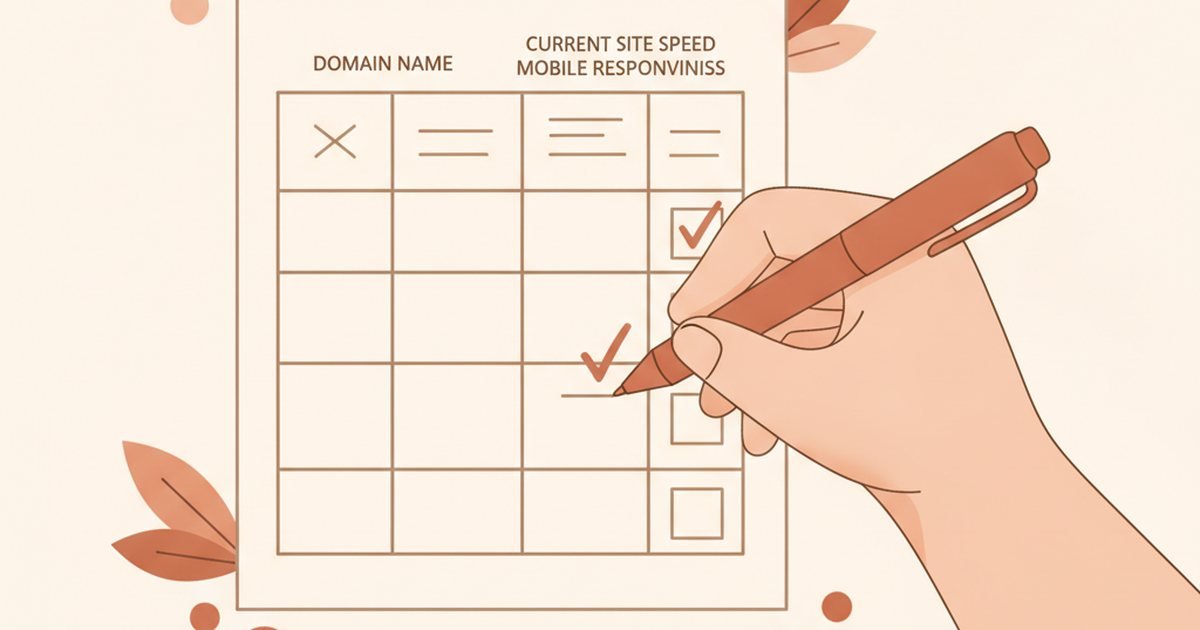
Step 3: Fix the red flags immediately
Once your table is complete, scan it for the following problems and fix them in this order.
- Registrant is not you. If a former web designer or agency is listed as the owner, ask them to transfer ownership to your business in writing. This is the most dangerous finding because they, not you, hold the legal rights. Do it calmly and promptly.
- Account email is out of date. Update it to an address a real person at your business reads, ideally a role address that more than one person can access. Do not update registrant details in the days before you need to transfer without reading the next section.
- Expiry within 90 days and auto-renew is off. Renew now. If you use auto-renew, confirm that the payment card on file has not expired.
- No two-factor authentication. Turn it on for the registrar account. A hijacked registrar account is a hijacked business.
- Domain is unlocked and you are not transferring. Lock it.
- DNS records undocumented. Export or screenshot all DNS records (A, CNAME, MX, TXT). Without them, a registrar change or an accidental edit can take your site and email down.
Registrar changes and transfers: the rules that trip people up
Moving a domain between registrars is routine, but it is governed by rules that matter if you act in a hurry. The ICANN Transfer Policy sets the baseline for generic domains such as .com. These are the points that matter to a small business.
- The authorization code (AuthInfo). Registrars must give the registered name holder the unique code needed for a transfer, unless they offer self-service generation and management. Codes must be unique per domain. A registrar cannot withhold the code merely because of a payment dispute, but it may deny a transfer over unpaid fees from a previous registration period.
- The new-registration and recent-transfer lock. A registrar may deny a transfer requested within 60 days of the domain's creation, and the policy also covers a 60-day period after a transfer between registrars. So a domain you just registered or just moved cannot generally be moved again right away.
- The change of registrant lock. After a change of registrant, the registrar "must impose a 60-day inter-registrar transfer lock," though some registrars let you opt out before the change is requested (the policy says the registrar may allow it; it is not a right). Changing the owner name or organization on a domain and then trying to transfer it two weeks later can fail.
- Transfers add a year. A completed holder-authorized transfer results in a one-year extension of the existing registration, and the total unexpired term cannot exceed ten years. In practice, a transfer renews the domain for one year at the new registrar and adds a year to the remaining term.
The ICANN Transfer Policy applies to generic extensions such as .com. For .ca, the registry has its own rules and your registrar will explain the transfer steps. Confirm the process with your registrar before you rely on it.
A safe transfer sequence
- Choose the new registrar and read its renewal pricing, included features and transfer-in terms.
- At the current registrar, confirm the domain is eligible: past any new-registration or recent-change locks, not expired, and the contact email works.
- Export or screenshot all DNS records and set the same records at the new registrar, or keep DNS where it is for now.
- Lower DNS time-to-live values a day or two before, if your DNS provider supports it, to make any change propagate faster.
- Unlock the domain and request the authorization code.
- Start the transfer at the new registrar, pay for the one-year extension, and approve the confirmation emails promptly.
- Wait for completion, which can take a few days. Do not change nameservers or contact details during the transfer.
- After completion, verify your website, email, forms and any services using the domain. Turn on two-factor authentication, lock the domain and set auto-renew.
- Update your records table.
Do not begin a transfer in the last few days before expiry. If something fails, an expired domain can drop your website and email, and recovering it can be slow and expensive. Start at least 30 days before expiry, and earlier if you have recently changed contact details.
Email: the part everyone forgets
For many small businesses the domain matters more for email than for the website. If you move DNS or registrar and the mail records (MX and the TXT records for email authentication) are not preserved, mail can bounce or land in spam. Keep a copy of every DNS record before you touch anything, and test sending and receiving immediately after any change. Our guide to the difference between a domain and hosting explains which service controls which part.
Choosing a registrar: criteria that matter more than the sticker price
A registrar is where you hold your domain, and it can be separate from where you host your website or run your email. Many small businesses end up with a registrar by accident, because a website builder or hosting company bundled it. That can be convenient, but you should make it a conscious choice. Here are the criteria to compare. We do not rank registrars here, because prices and promotions change monthly, but this table shows you how to compare any two.
| Criterion | What to look for | Red flag |
|---|---|---|
| Renewal price transparency | Renewal price shown next to the registration price | Very low first-year price with a hidden or much higher renewal |
| Currency and billing | Canadian dollar billing, clear tax handling, or a known USD price | Surprise currency conversion fees |
| Contact privacy | Privacy protection included or clearly priced | Your personal address and phone shown publicly |
| Transfer out | Self-service unlock and authorization code | Support tickets required, delays, or fees to release the code |
| Account security | Two-factor authentication, login alerts, registrar lock | Password-only access |
| .ca support | Can register and manage .ca if you need it | No Canadian extension support |
| DNS quality and control | Full DNS record editing, export, and reliable service | Limited records or no export |
| Support | Reachable support during your business hours | No human contact route |
| Bundling | Domain separate from hosting or website builder, or clear exit terms | Domain locked to a bundle you cannot leave |
| Multi-year options | Option to register for several years at a stated price | Aggressive upsells you did not ask for |
Should you register for several years?
Registering for multiple years in advance has two real benefits: it protects against accidental lapse and it can lock in today's price at the registrar for the period you pay for. It also ties up cash, and you cannot assume the registrar will honor the same terms in the future. Under ICANN's rules, the total unexpired term cannot exceed ten years. A reasonable approach for a stable business: register your primary domain for two to five years, keep auto-renew on, and review pricing each year. Do not lock in a decade with a registrar you have not tested.
Separate your registrar from your host where practical
Putting the domain with an independent registrar, in an account you control, means that your hosting company, website builder or web designer cannot hold your address hostage. It is a simple form of insurance. If you ever change host, platform or designer, you point the domain's DNS at the new service and you are done. Our hosting comparison and guide to choosing web hosting for a small business help with the hosting side of that decision.
A worked example, labelled as hypothetical
This is an illustration with invented figures to show how to reason, not data about a real business.
A small landscaping company in Ontario has three domains: the main .com used for the website and email, a .ca registered years ago that redirects to the .com, and an old .com for a previous brand name that still gets some email. Nobody has audited them. The audit finds that the main .com is registered through the website builder under the owner's name, with auto-renew on. The .ca is registered with a different company, in the name of the freelancer who built the first website, with the account email being the freelancer's old address. The old brand .com expires in six weeks and auto-renew is off.
The owner's priorities: first, renew the old brand .com, because it still receives email. Second, contact the freelancer, request a change of registrant and transfer of the .ca account into the company's name, and do it now because of the lock timing rules. Third, decide whether to consolidate all three domains at one registrar. She opts to consolidate after the changes are complete and the 60-day lock windows have passed. Fourth, document DNS for all three, set two-factor authentication and calendar the expiry dates. The total out-of-pocket cost of the audit is a few renewal fees. The extra wholesale cost of the .com increase across her two .com domains is about US$1.42 per year, a rounding error compared with the risk she just removed.
Note what she did not do: she did not rush to a different registrar because of the price news, and she did not change her primary domain. She fixed ownership, expiry and documentation, which is what actually protects the business.

Common domain mistakes that cost far more than a price rise
- Letting someone else register the domain. Web designers, agencies and relatives often register domains for businesses. If they are listed as the owner, they hold the rights. Fix it before there is a dispute.
- Relying on a single email address for renewals. If that address is a former employee's inbox, renewal notices vanish.
- Letting a card expire with auto-renew on. Auto-renew fails silently when the payment card is out of date. Check the card annually.
- Treating the grace period as a safety net. Many registrars offer a grace or redemption period after expiry, but the terms vary, your website and email may go down immediately, and redemption can cost much more. Renew before expiry.
- Changing registrant details and then trying to transfer immediately. The 60-day lock after a change of registrant can block you, unless your registrar lets you opt out before the change is requested (it is optional for them, not a right).
- Not documenting DNS. The most common cause of email outages after a domain change.
- Buying on a first-year promotion without checking renewal. Compare year-five cost, not year-one cost.
- Ignoring lookalike domains. Consider registering obvious variants of your main name that customers might type, and keep them redirected.
- Abandoning a domain with a history. If an old domain has backlinks or is printed on old materials, let it lapse only after confirming nobody still uses it. A lapsed domain can be registered by others.
- Switching the primary domain to save a few dollars. It is a site migration with real ranking risk.
A 12-month domain calendar for a small business
| When | Task |
|---|---|
| This month | Complete the audit table, fix ownership and contact details, turn on two-factor authentication, export DNS records. |
| 90 days before each expiry | Check renewal price and compare. Confirm payment card validity. |
| 60 days before each expiry | Decide: renew, extend multi-year, consolidate or let lapse after checking usage. |
| 30 days before each expiry | Latest sensible time to start a transfer. |
| After any staff change | Review who has access to registrar, DNS, hosting and email accounts. |
| Annually | Review the full table, check lock status and update the record. |
| Each time a registry announces a price change | Review your budget, but do not change registrars on price alone. |
What this means for your website's visibility
Domains and search are connected in a few ways worth understanding. A domain that lapses takes your site, your Search Console property and your email down with it, and recovering rankings afterwards is uncertain. A domain move without redirects loses accumulated trust. And mixed addresses, such as the site being reachable at both a .com and a .ca without redirects, can split signals. Keep one primary address and redirect everything else to it. Our web design SEO checklist covers canonical and redirect hygiene, and the NAP consistency guide explains why your business name, address and phone details, including your website address, should match across directories.
If you are watching Google's core update alongside everything else this month, remember to keep the two separate. A domain or hosting change made in the middle of a rollout makes it harder to read your Search Console data. Our core update measurement guide explains how to compare clean windows.
Budgeting: what a sensible domain and hosting spend looks like
For most small businesses, the domain is the smallest line in the website budget. The bigger items are the design, hosting or platform fee, maintenance and marketing. Use the ranges from our wider guides as context: DIY builders at about $15 to $60 per month, a custom small business site at about $2,000 to $10,000 CAD, and local SEO retainers at about $100 to $300 per month. These are indicative planning ranges, not sourced market data and not a quote. The website maintenance cost guide and monthly cost guide explain the recurring items, and our full cost guide puts them in context.
A sensible principle: spend on what protects the asset (ownership, security, backups, accurate records) before spending on what decorates it. A domain audit costs an hour and a few renewals. It is the best return on time in the website budget.
Bottom line
Verisign's November 1, 2026 increase of US$0.71 per .com domain per year is real, but small. Registrars differ in how they pass it on, and ICANN's contract with Verisign means further increases are likely over time, up to a ceiling the contract allows. For a Canadian small business the right response is not to switch domains or panic. It is to audit what you own, fix ownership and expiry problems, document your DNS, understand the transfer rules and choose a registrar on the total picture of renewal price, security and control. Do that once, calendar the dates, and the next price announcement will be a footnote rather than a headline.
Related reading in this series: Squarespace's layoffs and your site and the risks of vibe-coding your business website. And if you want your domain, site and local search handled together, our web design services overview shows how projects are scoped.
Special situations worth planning for
If an agency or freelancer manages your domain
Plenty of small businesses let their web designer handle the domain. That is fine when it is done transparently. Agree in writing on four things: the domain is registered in the business's name, the business has its own login or can obtain one on request, the designer will provide the authorization code within a stated number of days if the relationship ends, and renewal costs are passed through at cost or at a stated fee. If you are a designer, protecting your clients this way also protects you from disputes. Our guides on choosing a web designer and the freelancer versus agency decision include questions about ownership you can add to your contract checklist.
If you plan to sell or hand over the business
The domain is part of the business's value. A buyer or successor will want the domain, the website, the email accounts and the Search Console and analytics properties transferred cleanly. Keep a handover document. Remember the change-of-registrant lock under ICANN's policy: if you change the registrant to the buyer, a 60-day inter-registrar transfer lock follows, unless your registrar allowed you to opt out before the change was requested, which can delay a registrar move. Plan the sequence with your lawyer or advisor, and record each step.
If an employee who managed the domain leaves
Add a line to your offboarding checklist: registrar, DNS, hosting, email admin and analytics access. Change shared passwords, remove their login or transfer it to a role address, and confirm that renewal notices go to a mailbox someone monitors. A domain account tied to one person's personal email is a business continuity risk.
If you own several domains for several brands
Consolidating domains at one registrar simplifies renewals, but do it deliberately. Consider the transfer locks, check each domain's renewal price at the new registrar, and move the least critical domains first to test the process. Keep a master table, and flag which domains drive revenue and which are defensive registrations. If you hold .net domains, note that the .net wholesale fee is scheduled to rise from US$10.91 to US$12.00 per year on March 1, 2027, according to Openprovider, so any .net names will see a change in a few months.
Domain scams and security basics
Price announcements and renewal seasons attract opportunistic emails. You do not need to be an expert to avoid most problems. Follow these rules:
- Do not pay renewal "invoices" from unfamiliar companies. Look up your actual registrar and pay through your own account, not through links in unsolicited emails.
- Be wary of urgent "domain expiry" or "SEO submission" notices. Check your real expiry date in your registrar account.
- Enable two-factor authentication on your registrar, email and hosting accounts.
- Use a unique, strong password and a password manager for registrar accounts.
- Keep the registrar lock on except during a planned transfer.
- Watch your account email. Transfer approvals and contact change notices are sent there, and a compromised mailbox can compromise the domain.
- Do not give an authorization code to anyone you have not verified. It is the key to moving your domain.
None of these steps cost money. All of them prevent the failures that cost real money.
Questions to ask your registrar this week
If you do nothing else after reading this article, send your registrar or host these five questions, or find the answers in their help pages. Write the answers down in your audit table.
- What will my domain cost to renew next year, in what currency, and what is included in that price?
- Is privacy protection for my contact details included?
- How do I get the authorization code for transfer, and is there a fee or delay?
- What happens to my website and email if my domain expires, and is there a grace period?
- Can I turn on two-factor authentication, and can more than one authorized person manage the account?
A good registrar answers these clearly. A vague or evasive answer is useful information. If your domain is bundled with a website builder, also ask what happens to the domain if you cancel the builder plan, and how to move it out. Our companion piece on protecting your site when a platform is in the news goes into that scenario in more detail.
Frequently asked questions
How much did .com domain prices go up in 2026?
According to Openprovider, Verisign's wholesale .com fee rose from US$10.26 to US$10.97 per year on November 1, 2026, an increase of US$0.71 or about 6.9 percent. With the US$0.20 ICANN fee, registrar cost rose from US$10.46 to US$11.17. Retail prices vary by registrar.
Why did .com prices increase?
Under its agreement with ICANN, Verisign may raise .com wholesale prices by up to 7 percent per year in the last four years of each six-year cycle. The current cycle began October 26, 2024, so November 2026 was the first year an increase was allowed, and increases remain permitted in November 2027, 2028 and 2029 (Web Hosting Today). There was no increase in 2025, and none has been announced for 2027.
What do .com domains cost at Namecheap now?
Namecheap's notice lists US$15.98 per year for registration and transfer and US$19.98 per year for renewal and reactivation, excluding the ICANN fee, from November 1, 2026 (Namecheap's page defaults to US dollars). Other registrars price differently, so check renewal prices and billing currency at checkout.
Will .ca domain prices go up too?
The Verisign increase applies to .com. The .ca extension is managed by a different registry, so the .com change does not directly set .ca prices. Check your registrar's current .ca price instead of assuming.
Should a Canadian business use .ca or .com?
Many local businesses use .ca as the primary domain and also register the .com to protect the name. If you already have a ranking .com, keep it as the primary and consider the .ca as a redirecting protective registration. A .ca requires meeting Canadian presence requirements, per Web Hosting Canada's comparison.
How do I check who owns my domain?
Log into the registrar account and review the registrant name and account email, and look at the expiry date, auto-renew and lock status. The registrant should be your business, not a former web designer, agency or relative. If it is someone else, request a change of registrant in writing.
How do I transfer my domain to another registrar?
Unlock the domain, request the authorization code, and start the transfer at the new registrar, paying for the one-year extension. ICANN's Transfer Policy describes 60-day locks after registration, after a transfer and after a change of registrant, so start well before expiry.
What happens if my domain expires?
Your website and email can stop working immediately. Many registrars offer a grace or redemption period, but terms and costs vary and recovery can be slow or expensive. Renew before expiry, keep auto-renew on and confirm the payment card is valid.
Should I register my domain for several years?
It protects against accidental lapse and can fix your price at the registrar for the period you pay for. The total unexpired term cannot exceed ten years under ICANN's rules. For a stable business, two to five years with auto-renew on is a reasonable approach.
Will changing my domain affect my Google rankings?
Yes, if done without proper 301 redirects for every URL, updated listings and a Search Console migration plan. It is a full site migration. Do not switch a working primary domain to save a few dollars. Register the other extension and redirect it to your main site instead.
Sources
Facts about news events, prices, dates and rules in this article come from these pages, accessed November 28, 2026. Verify anything time sensitive before acting on it.
- https://www.openprovider.com/blog/com-price-increase-domain-resellers
- https://www.namecheap.com/support/knowledgebase/article.aspx/10840/2201/com-price-change-november-1-2026/
- https://webhosting.today/2026/05/21/verisign-starts-a-four-year-com-price-cycle-the-first-7-hits-in-november/
- https://whc.ca/blog/ca-vs-com/
- https://www.icann.org/en/contracted-parties/accredited-registrars/resources/domain-name-transfers/policy
Keep reading
- Google's November 2026 Core Update: A Canadian Owner's Plan
- Squarespace Layoffs: What Canadian Site Owners Should Do
- Vibe Coding a Business Website in Canada: Risks and Rules
- All blog articles
Get a free website & SEO quote
Tell us about your business. We send back a price range and a plan. No payment.